
File access
Access family content from computers and mobile devices.

LOCAL AI. PERSONAL DATA.
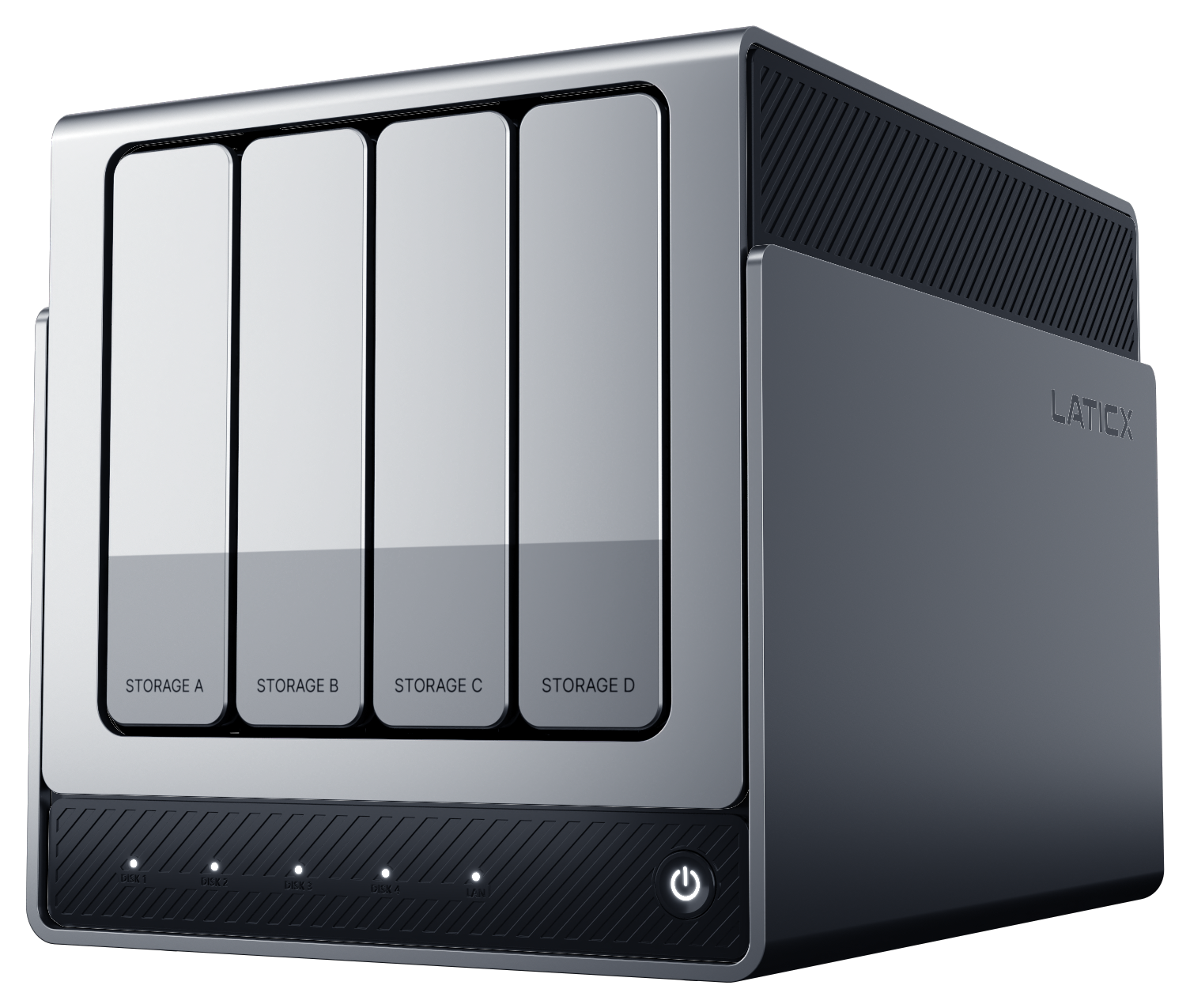
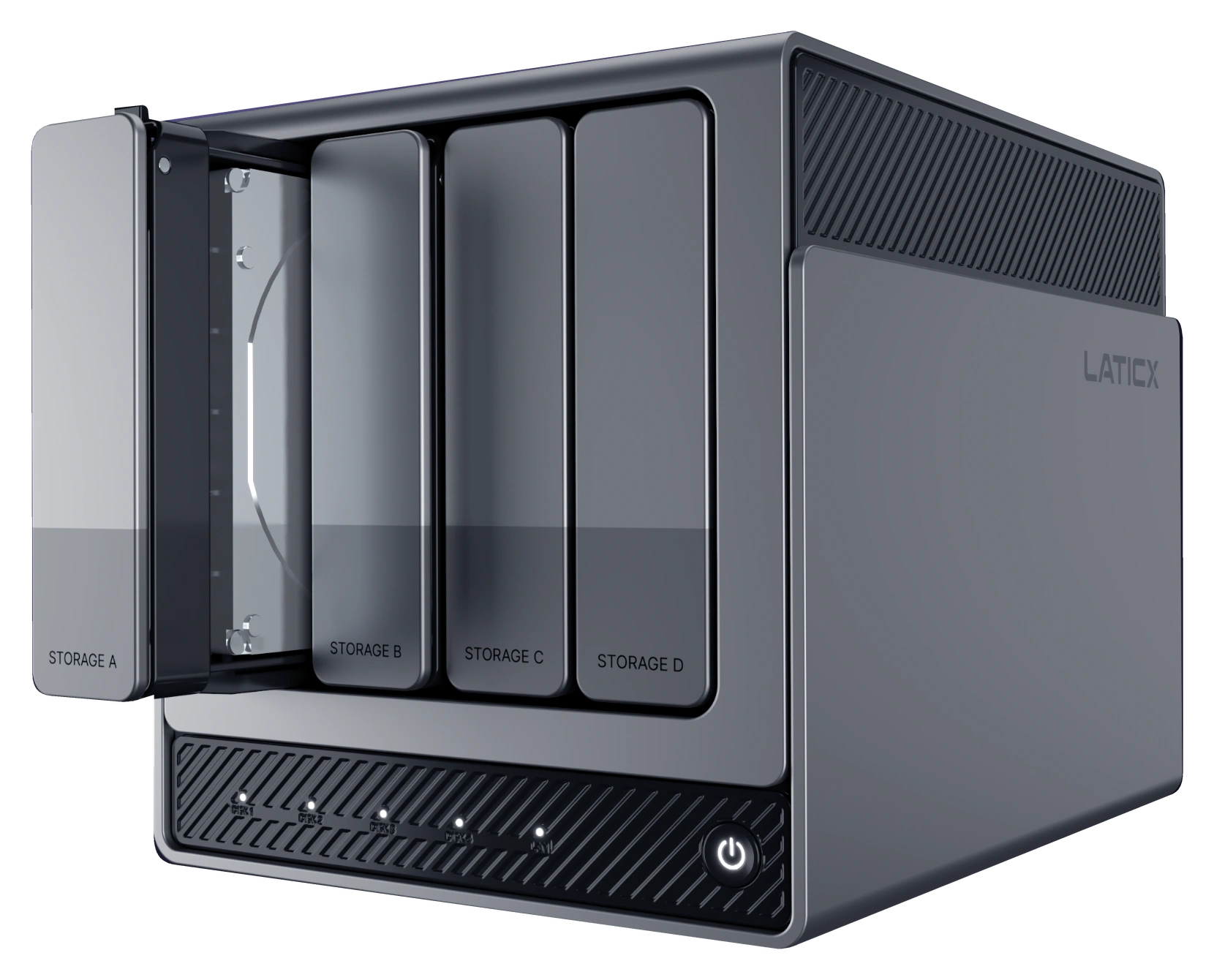
LATICX X4 PRO · Four-bay NAS with local AI
A private AI hub for your family’s photos, files, and recordings. Four-bay storage and local AI help you find content in your own words, then open the original and put it to use.
Coming to Kickstarter in early 2027.
PERSONAL SEARCH
Start with a person, a scene, or a detail you remember. Find photos, files, and recordings, then open the original.
“Find family photos from last summer where everyone is smiling.”
PERSONAL SEARCH · MEDIA CENTER
Ask Lati AI to find films by director in your own Media Center. Browse titles, release years and genres, then open Media Center.
“Show me Christopher Nolan movies.”
AI PHOTOS
Desktop appAll three models share the same AI Photos features. Browse by people, scenes and places, create themed albums, and find memories and records through descriptions or photo text.
Browse photos and videos by date, and revisit the moments you want to keep.
Bring everyday moments, growing-up memories, anniversaries, and trips into themed albums.
Start with a familiar face and revisit the moments your family shared.
From beaches and food to sports, browse by the scenes you remember.
Revisit photos by city, with places, dates, and moments from each trip together.
Find receipts, notes, and screenshots through the text recognized in your photos.
PERSONAL KNOWLEDGE BASE
Group receipts, manuals, work files and travel documents by topic. Ask about selected sources, inspect the citations and prepare the information you need next.
PERSONAL AGENT
Coming nextBuild on what your sources reveal. Prepare a checklist of open questions and draft a follow-up message. Review and approve reminder details and timing before anything is created.
“List the open cost questions and draft a message to the contractor. Wait for my approval before creating reminders.”
Home renovation/Context for the next step
Contractor checklist · draft

X4 PRO
A closer look.
LOCAL AI. PERSONAL DATA.
Four-bay storage and local AI processing in one NAS. Index your own content and run supported search and organization tasks, with a shared data and compute hub for your home.
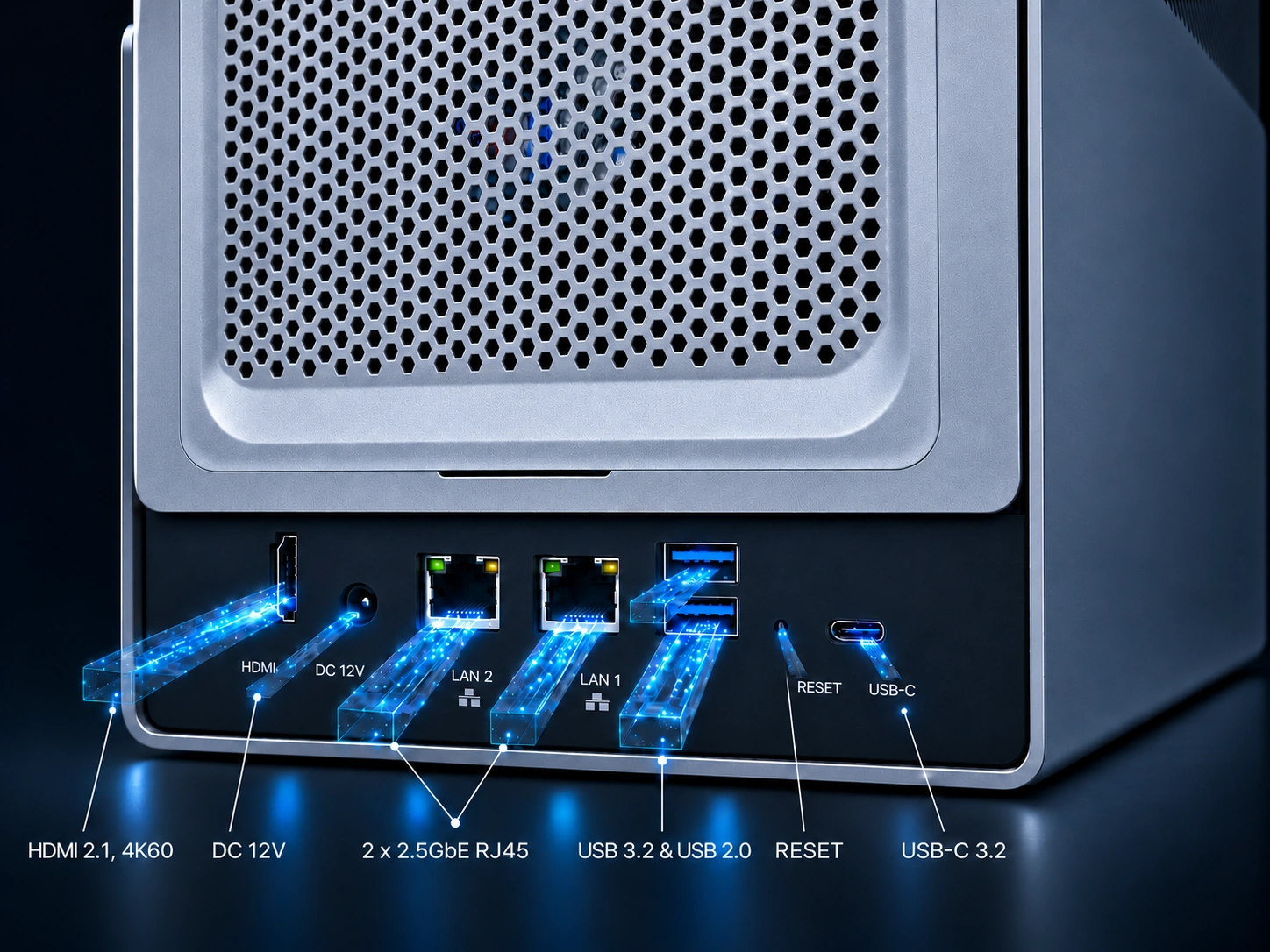
Network, peripheral, and display connections bring content and devices into your home setup.
NAS FOUNDATIONS
Feature roadmapAll three models share the same traditional NAS features: file management, backup and recovery, people and sharing, drive and capacity management, Media Center, remote access, Docker containers and App Center.
LATI AI · NAS STATUS
Check storage, drive health, CPU, memory and running tasks in Lati AI, then open the relevant management page for details.
“Show me my NAS status.”
Access family content from computers and mobile devices.
Plan how important content is backed up and restored.
Manage access by person and purpose.
Keep track of storage space and drive health.
Bring photos, videos, and everyday records together.
An access point for your content when you are away.
Deploy and manage additional apps in containers.
APP CENTER
App Center previewExtend your NAS with apps for media, photo libraries, file sync and more.
ONE HUB. THREE COMPANIONS.
The NAS works as the starting point. Add voice, video, or a shared display as needed, bringing records and useful results into everyday life.
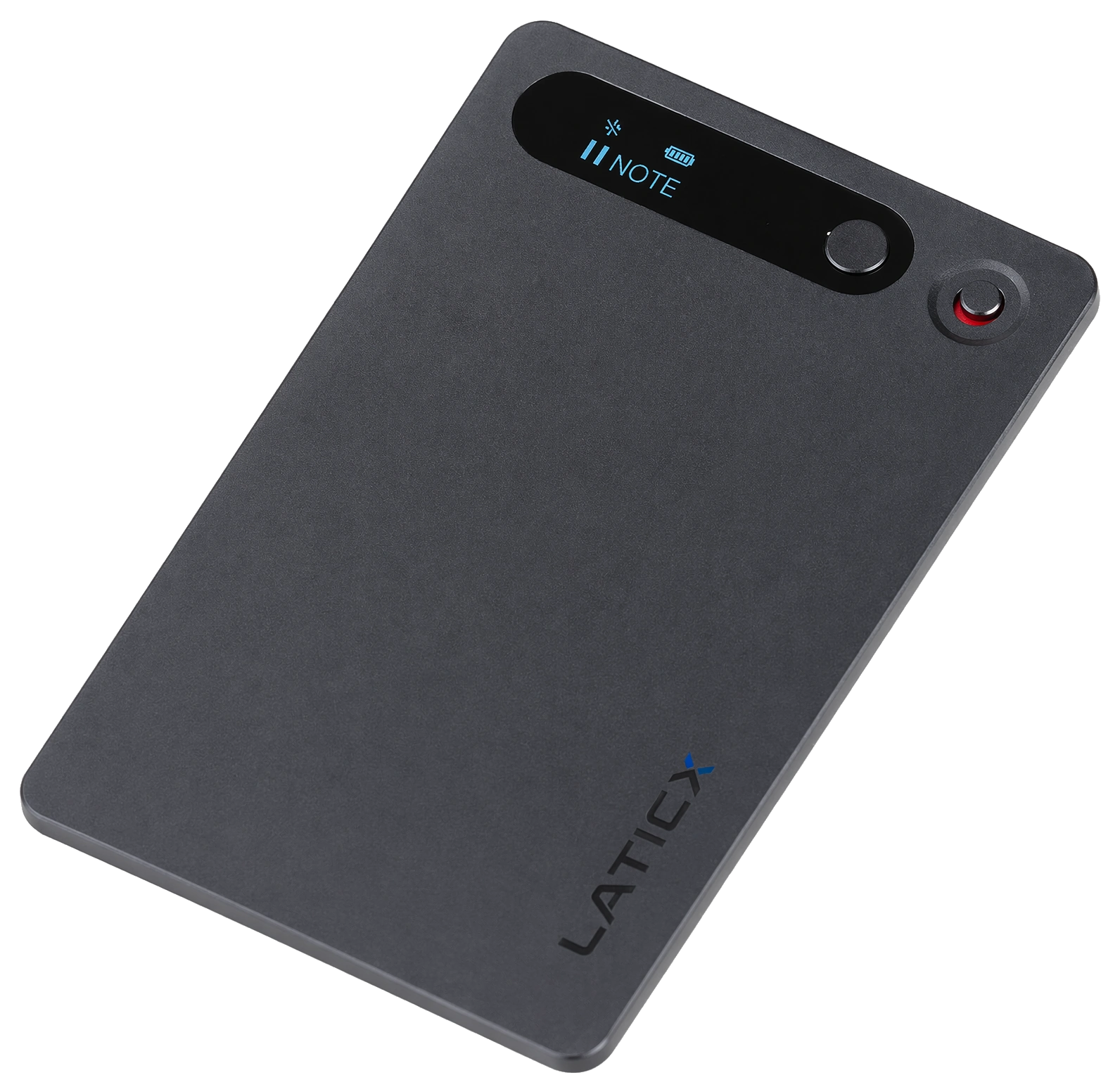
AI Note · Voice recording
Capture conversations, manage recordings and transcripts through the app, then use the NAS to organize summaries and topics.
See recordings and summaries in action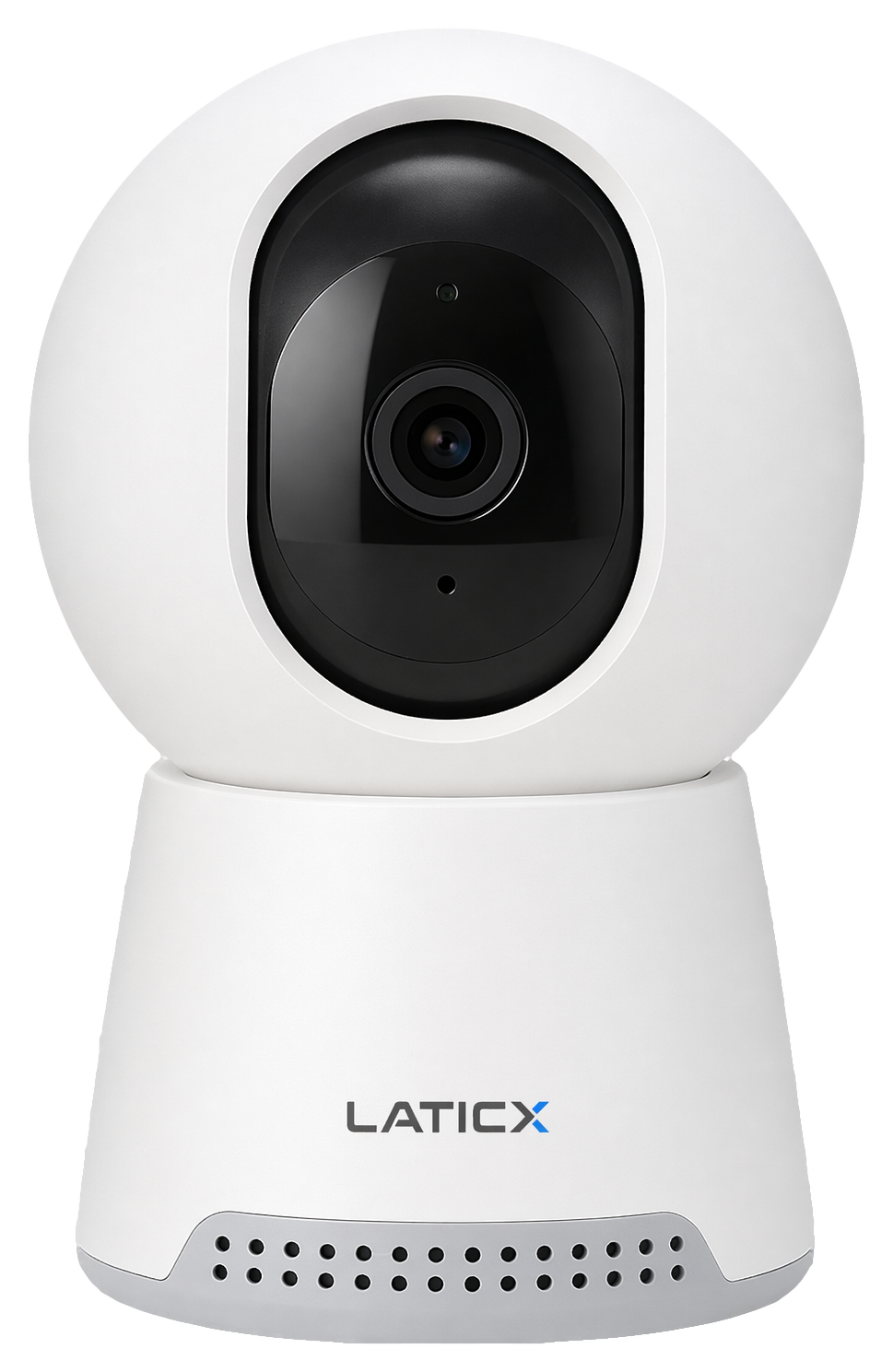
AI Camera · Indoor video
Keep a record of indoor events, then find and revisit the relevant clips on the NAS.
See events and playback in action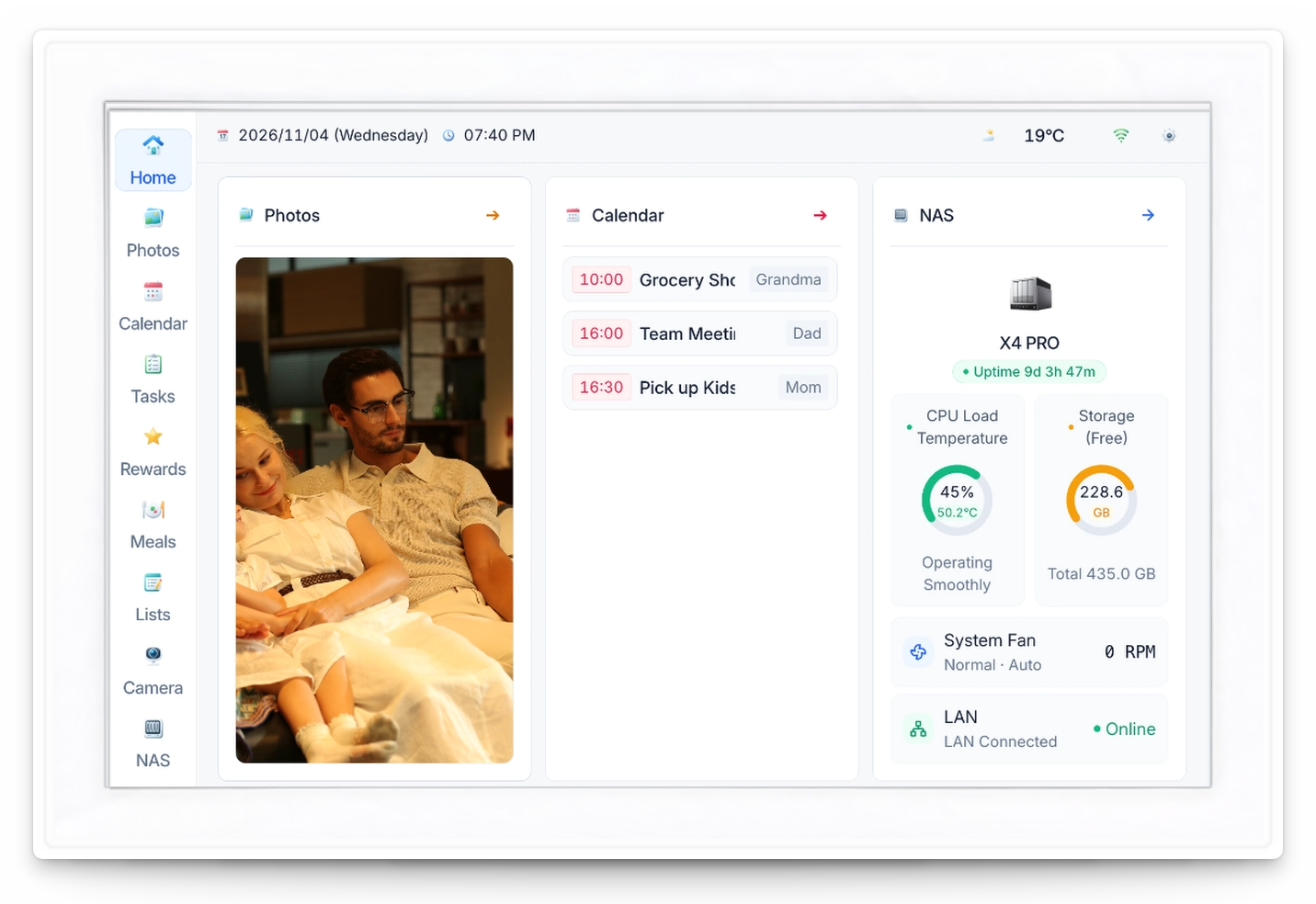
Smart Calendar · Family information
Put approved shared calendars, reminders, and photos on display at home.
Explore M1See camera events, recording summaries and family schedules in one interface, illustrating how the three companion devices are planned to work with your PRO.
Describe a time or scene to Lati AI to find recorded C1 events and revisit the original clips.
See Ask Lati AI with C1C1, N1 and M1 will be optional add-ons in the same Kickstarter campaign, with companion integration for PRO models. The NAS works independently.
X4 PRO · SPECIFICATIONS
RK3588 + RK1828 · Four-bay NAS
RK1828 includes 5 GB of 3D DRAM, separate from system memory.
TOPS uses the stated precision. Task speed depends on the model, software and operating conditions.
GOOD TO KNOW
X4, X4 PRO and X4 PRO MAX offer the same AI Photos and traditional NAS features. The PRO series adds a dedicated AI chip, an AI assistant, a personal knowledge base and C1, N1 and M1 companion integration. X4 uses the RK3588 integrated 6 TOPS INT8 NPU and has 8 GB LPDDR4. PRO and PRO MAX have the same rated compute, 26 TOPS INT8 or 52 TOPS INT4, with 8 GB and 16 GB LPDDR4 system memory respectively.
Both share the same four-bay design and local AI platform, rated at 26 TOPS at INT8 or 52 TOPS at INT4. X4 PRO has 8 GB LPDDR4 system memory; PRO MAX has 16 GB. Both also have 5 GB of 3D DRAM inside RK1828, separate from system memory.
All three models share the same traditional NAS features: file management, backup and recovery, people and sharing, drive and capacity management, Media Center, remote access, Docker containers and App Center.
No. X4 PRO works as a standalone NAS. Add N1, C1 or M1 companion devices as needed.
File search locates an original. A personal knowledge base lets you ask about selected content and open cited sources to check the details.
AI inference runs locally on the NAS. Connectivity requirements are explained for each feature.
Included AI features and pricing details will be announced with the launch offer.
X4, X4 PRO and X4 PRO MAX are planned for the same Kickstarter campaign in early 2027. Pricing, included AI features and delivery plans will be announced at launch.
X4 SERIES · KICKSTARTER
X4, X4 PRO and X4 PRO MAX will be in the same campaign, with C1, N1 and M1 as optional add-ons.
Coming to Kickstarter in early 2027. Pricing and delivery details will be announced at launch.